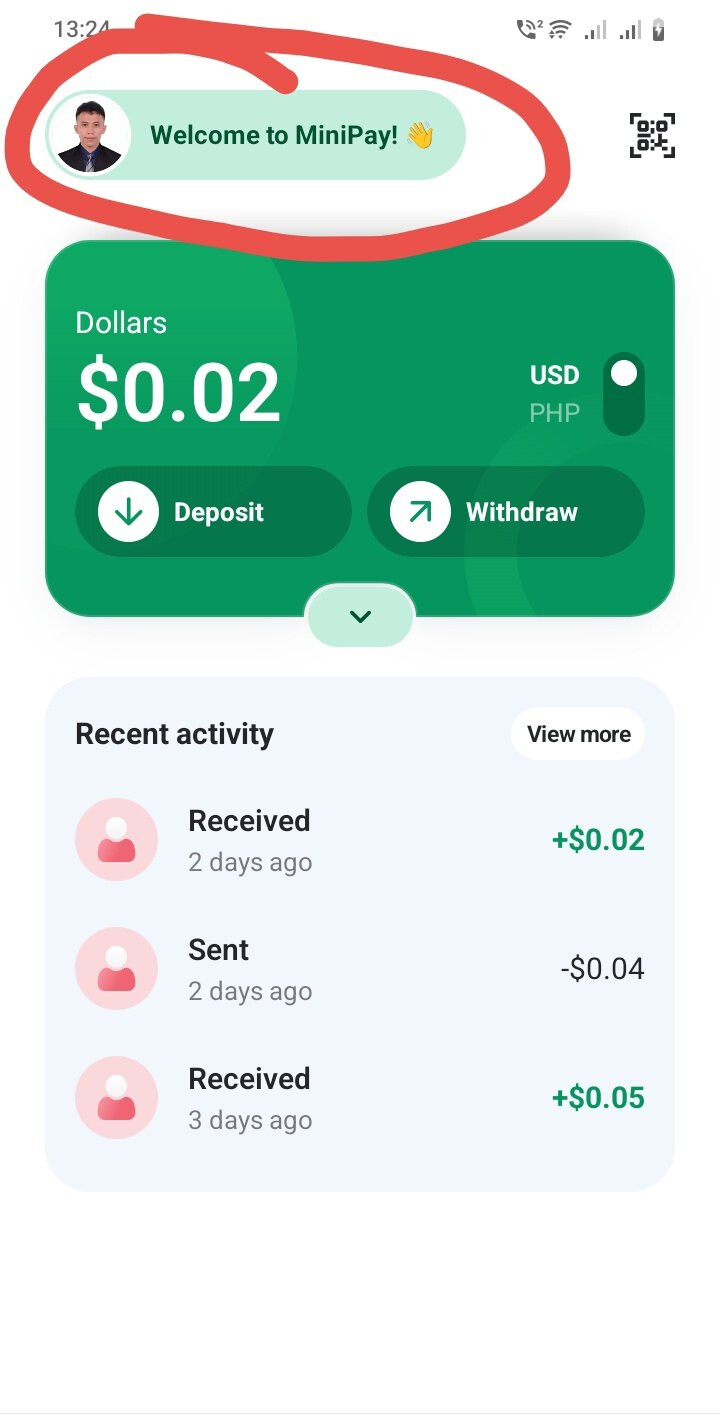
Step 1 — Open Your MiniPay Profile
Click your profile icon in MiniPay to open your wallet settings.
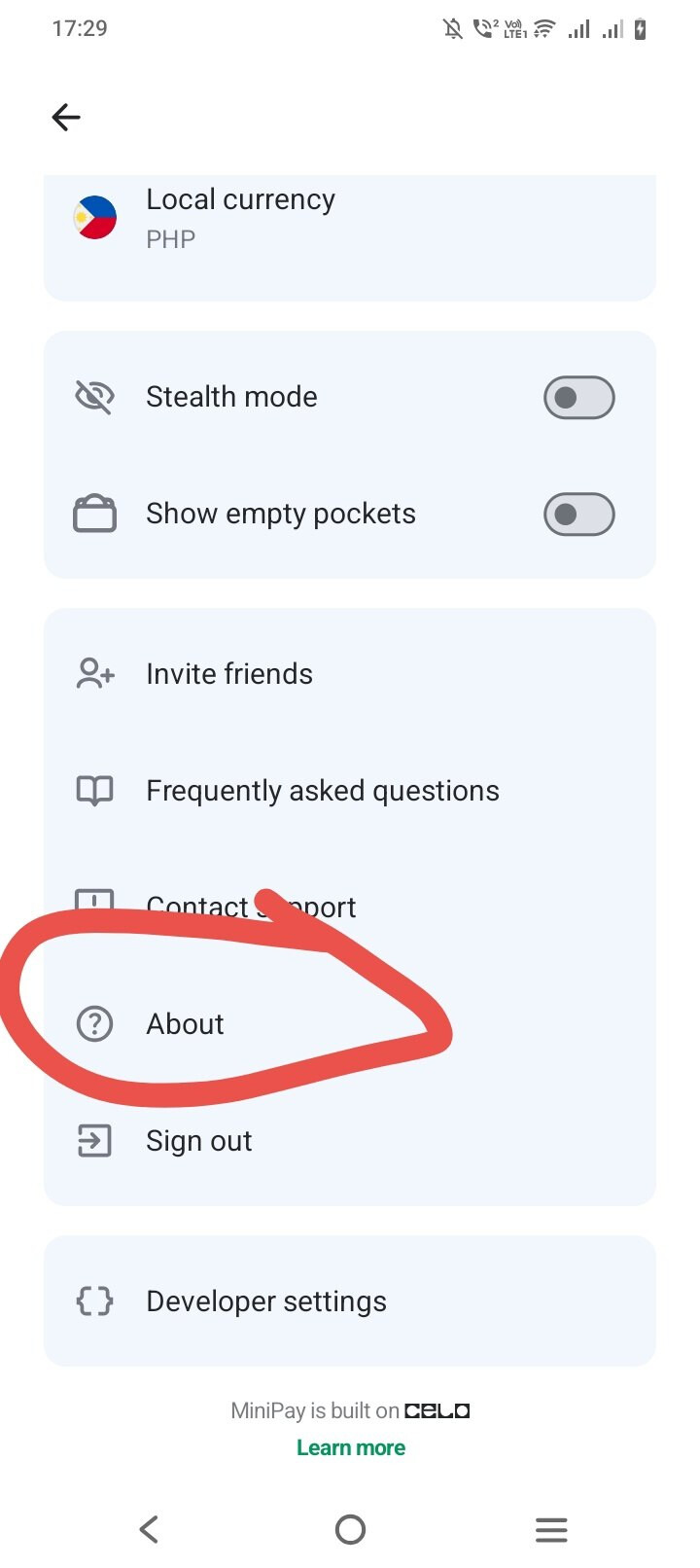
Step 2 — Open the “About” Section
Scroll down and look for the About button, then tap it to continue.
Step 3 — View Your Secret Recovery Phrase
Click Secret Recovery Phrase to view your 12-word recovery phrase.

 Important:
-
Write the 12 words on paper and keep them safe.
-
Never share your recovery phrase with anyone.
-
Anyone with access to these words can fully access your wallet.
Note: Some users may need to wait up to 1 hour before the Secret Recovery Phrase becomes visible.
Noted Step4: Create or Open Your MetaMask Wallet
If you do not have MetaMask yet, download and create an account first.
If you already have a MetaMask account, you can proceed directly to the next step.
Step 5 — Open the Wallet Menu in MetaMask
In MetaMask, tap your wallet name (for example: “Account 1”, “Account 2”, or your custom wallet name).

Step 6 — Tap “Add Wallet”
Scroll down and click the Add Wallet button to continue.

Step 7 — Import Your MiniPay Wallet
Tap Import a Wallet.
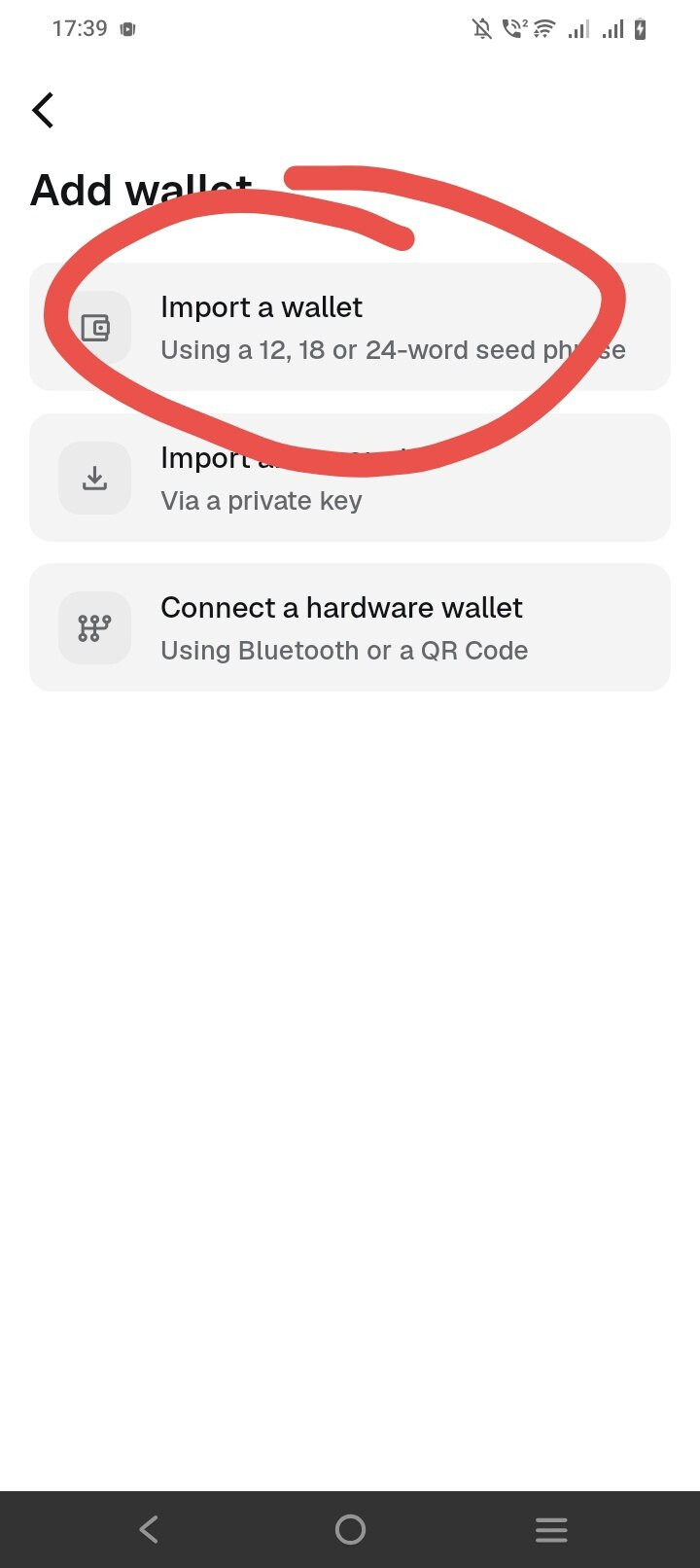
You will now need to enter the 12-word Secret Recovery Phrase from MiniPay into MetaMask.
After successfully importing your wallet, you can now access by clicking Explore button

If you experience issues such as:
-
Claim failed
-
Swap failed
-
Transaction errors
You may also use our community alternative support tool:
https://goodmarket.live