Here’s a Step-by-Step Guide on how to Swap G$ (XDC) from GoodReserve
Step 1: Go to GoodDapp.org and tap on “Connect Wallet.”

Step 2: Select GoodWallet and tap “Open.”

Step 3: Approve the connection in GoodWallet, then return to GoodDapp.

Step 4: Once connected successfully, switch the network to XDC.

Step 5: Tap the menu icon (three lines) at the top right, then select “Swap.” Make sure GoodReserve is selected.

Step 6: Tap the swap arrows to bring G$ to the top, then enter the amount you want to swap.

Step 7: Tap “Approve,” then go back to GoodWallet to approve the transaction.

Step 8: Return to GoodDapp, tap “Confirm Swap,” and approve the final transaction in GoodWallet.
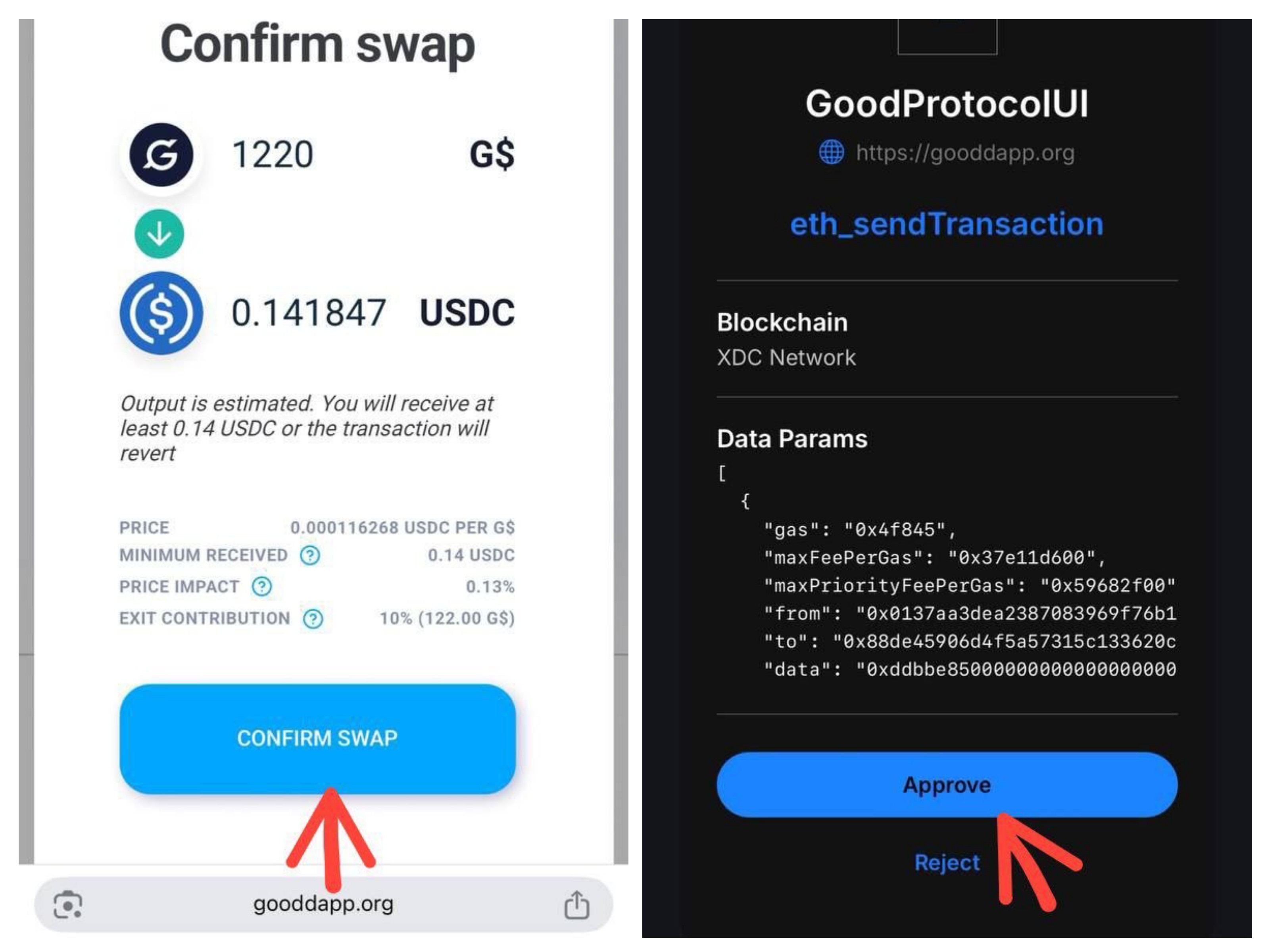
 Done! Your G$ swap on the XDC GoodReserve is successful.